
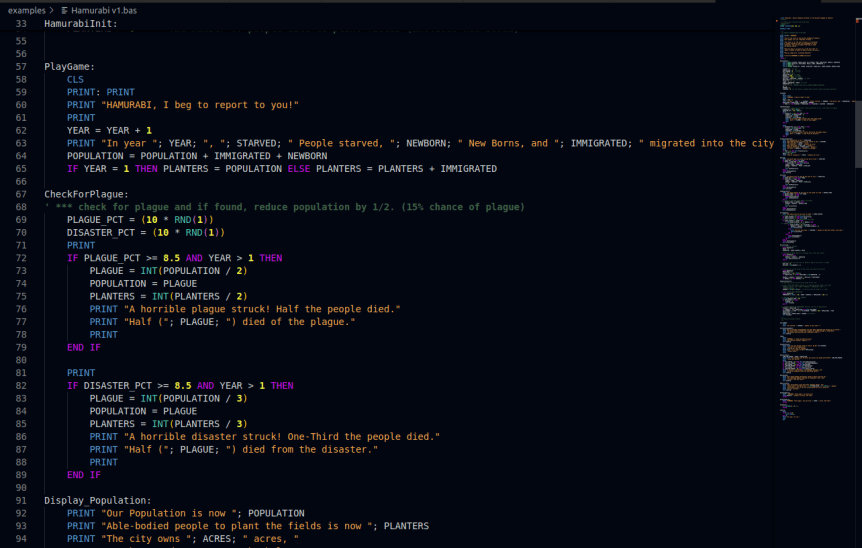
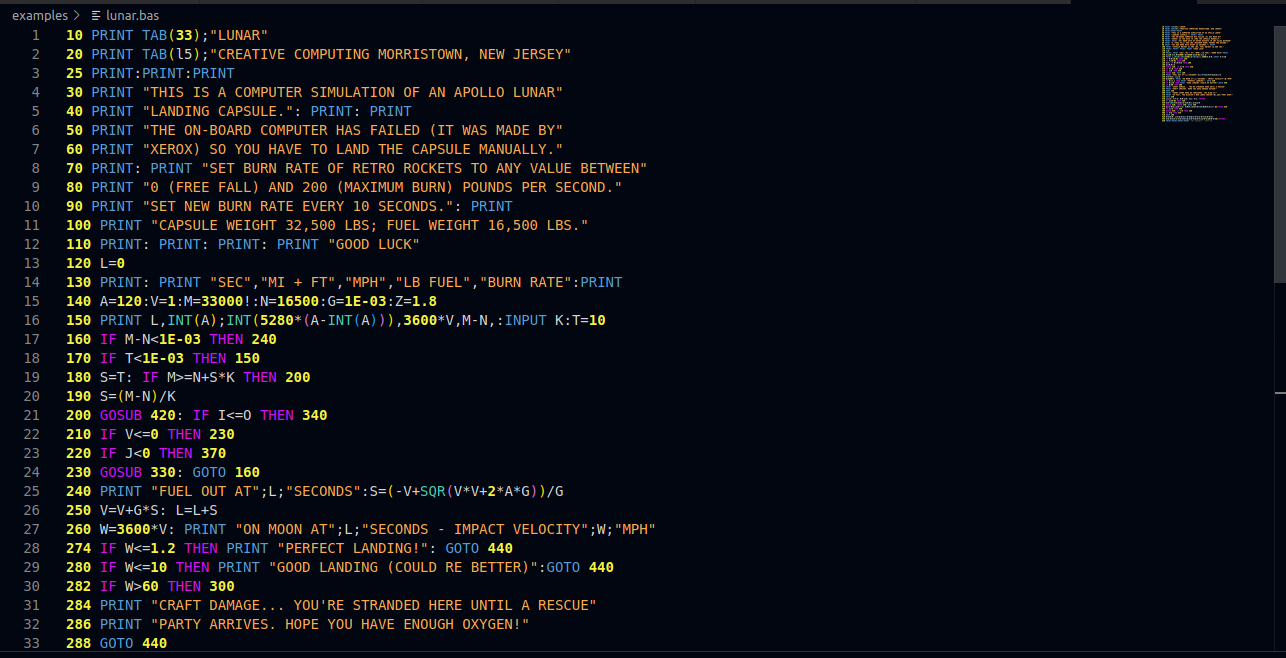
 As a developer who has a passion for retro computing and modern development tools, I’m excited to share my work on the QB64/QB64PE language support extension for Visual Studio Code. This extension provides enhanced syntax highlighting and language support for QB64/QB64PE and related BASIC dialects, making it easier for developers to work with .bas, .bi, .bm, and .inc files.
Features
- Syntax Highlighting: The extension offers syntax highlighting for QB64/QB64PE and related Basic dialects, conforming to QB64 Phoenix Edition v4.0.0 keywords.
- File Support: It supports .bas, .bi, .bm, and .inc file extensions, with future plans to include InForm .frm extensions.
- Custom Themes: A custom dark theme is optimized for QB64/QB64PE development, providing a visually appealing environment for coding.
- Enhanced Highlighting: The extension includes a custom/enhanced highlighting scheme that surpasses the QB64/PE IDE settings.
QB64 Enhanced Syntax Highlighting Colors
Below is a table showing the colors used for various syntax elements in the QB64 extension:
Color |
Syntax Element |
|---|---|
 |
Keywords, Support functions, String processing, Error processing, File processing, Image processing, Device processing |
 |
Screen |
 |
Double quoted strings |
 |
Storage and math functions |
 |
Graphics and OpenGL |
 |
Sound |
 |
Control, Conditional & Logical keywords |
 |
Numeric constants (Hex, Binary, Octal) (Bold) |
 |
Debug keywords and functions |
 |
User-defined functions (e.g., SUBs or FUNCTIONs) |
 |
Meta commands (Versioninfo, Unstable, Include, etc.) (Bold) |
 |
Numeric processing, storage & conversions (Bold) |
 |
Comment statements (Bold) |
 |
TCP/IP & Memory management keywords (Bold) |
Known Issues
Using this extension will disable all other extensions. If your project contains .json or .md files, the colors used by this extension will be applied to them. For Markdown (.md) and C++ (.cpp, .h) files, no highlighting will be done. Future releases may address this issue.
Release Notes
1.0.0 – Initial release of QB64/QB64PE Language Support
Syntax Highlighting: The extension provides syntax highlighting for QB64/QB64PE. Custom Dark Theme: A custom dark theme is included, optimized for QB64/QB64PE development.
Usage
-
- Install the Extension: Download and install the QB64/QB64PE extension for Visual Studio Code in the Visual Studio Code Marketplace from within VSCode’s IDE.
- Open Supported Files: Open .bas, .bi, .bm, .inc, or .frm files.
- Apply Syntax Highlighting: The syntax highlighting and language features will be automatically applied.
To apply the custom QB64/QB64PE theme:
-
-
- Open the Command Palette (Ctrl+Shift+P).
- Type “Preferences: Color Theme”.
- Select “QB64 Theme”.
-
Support
For issues, feature requests, or questions, please visit the GitHub repository.

 George McGinn – Computer Scientist, Researcher & Writer